How EDI can strengthen supply chain traceability and recall readiness

When something goes wrong in the supply chain, speed matters. Whether it is a product recall, a shipment discrepancy or a batch that needs to be isolated, businesses need to know what moved, where it went and which trading partners were involved. Electronic data interchange (EDI) can help create that digital trail as part of everyday trading. For Australian and New Zealand businesses, traceability is particularly important in sectors such as food, grocery, pharmaceuticals and retail. In Australia, Food Standards Australia New Zealand (FSANZ) reported 92 food recalls during 2025, above the 10-year average of 87. The point is not that EDI prevents every recall. It is that structured, timely transaction data can make it easier to identify affected products, trading partners and movements when action is required.

What does traceability mean in an EDI environment?

Traceability is the ability to follow products and related information through the supply chain. EDI supports this by creating consistent electronic records as business documents move between systems. Instead of relying on emails, spreadsheets or paper records, organisations can build a history of transactions that is easier to search and reconcile. Depending on the EDI process, that history can include:
  • purchase orders showing what was ordered and when
  • order responses confirming what a supplier can fulfil
  • advanced shipping notices (ASNs) showing what is being despatched
  • SSCC information identifying logistics units such as pallets or cartons
  • invoices connecting the financial transaction back to the original order
  • timestamps, message status and other transaction history held within the EDI platform.

Why this matters when a recall or issue occurs

When a product issue is identified, teams often need to answer several questions quickly: Which product or batch is affected? Which customers received it? When was it shipped? How much product is still in the network? Which orders or deliveries are connected to it? If that information is spread across inboxes, PDFs and different systems, getting a reliable answer can take time. EDI does not replace a formal recall or traceability system, but it can provide a strong digital data source to support it.

1. Create a consistent transaction trail

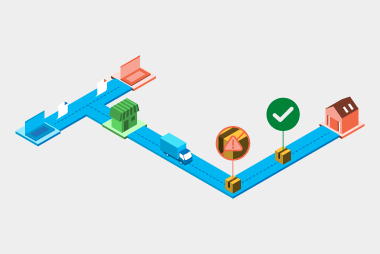
EDI messages follow defined structures and business rules. That consistency makes it easier to connect one transaction to another. A purchase order can be linked to an order response, despatch advice and invoice, giving teams a clearer picture of the end-to-end transaction rather than isolated documents.

2. Improve shipment-level visibility with ASNs and SSCCs

Advanced shipping notices can tell a customer what is coming before the physical delivery arrives. When SSCC labels are used, individual logistics units can also be identified and scanned through receiving and warehouse processes. This can help narrow the scope of an investigation and support faster identification of affected stock.

3. Reduce the time spent piecing records together

In a manual environment, a recall investigation can involve checking purchase orders, delivery records, emails and invoices separately. With integrated EDI, much of that information is already available electronically and can flow into ERP, warehouse or other business systems. That gives teams a stronger starting point when time is critical.

4. Support communication across trading partners

Traceability is not only an internal process. Retailers, suppliers, manufacturers and logistics providers may all need to share information. Standardised EDI messages can help keep that exchange consistent and reduce reliance on rekeying information between systems.

What data should you think about capturing?

The value of EDI for traceability depends on the quality and detail of the data being exchanged. It is worth reviewing whether your EDI messages capture the identifiers your business would need during an investigation.
  • product identifiers such as GTINs or retailer item numbers
  • purchase order and shipment references
  • batch or lot information where relevant to the process
  • quantities and dates
  • supplier, customer and delivery location identifiers
  • SSCCs for logistics units
  • clear message status and exception information.
Not every trading relationship will use every field. The important part is making sure the data exchanged supports the way your business actually needs to track goods and transactions.

Make traceability part of normal EDI design

Traceability is easiest when it is built into everyday processes rather than treated as something to reconstruct after an incident. When designing or reviewing an EDI setup, consider the full document flow, the identifiers carried between messages and where that information is stored once it enters your systems. It is also worth testing the process. Can your team locate a shipment from its order number? Can you identify the ASN connected to a delivery? Can you see which trading partner received a particular transaction? A practical test can highlight gaps before they become urgent.

A stronger digital trail across the supply chain

EDI is often introduced to remove manual data entry and speed up procurement. But the same structured data can also strengthen visibility and traceability across the supply chain. For businesses handling high volumes of products and transactions, that digital trail can become an important part of operational readiness.If you want to review how your EDI setup supports traceability across orders, shipments and invoices, get in touch with the MessageXchange team.

Request a call

Chat with one of our experts

Just fill out your details below and we'll be in touch within one business day.
What happens after you switch eInvoicing on? A practical optimisation checklist

Going live with eInvoicing is an important milestone, but it is not the finish line. Once invoices are flowing through Peppol, the next step is to make sure the process is actually delivering the improvements you expected - and to keep refining it as supplier behaviour, systems and business requirements change.

That matters in Australia and New Zealand, where eInvoicing is becoming more embedded in everyday procurement and finance processes. In New Zealand, mandated government agencies are now expected to pay 95% of eInvoices within five business days. In Australia, the ATO continues to support the Peppol framework and certified eInvoicing products. The direction is clear: simply being connected is no longer the only measure of success.

1. Check how much of your invoice volume is actually using eInvoicing

Start with adoption. Being able to receive or send an eInvoice does not necessarily mean your trading partners are using the capability consistently.

Review your invoice mix and ask:

  • Are new trading partners being directed to eInvoicing as part of business-as-usual onboarding?
  • Are there particular business units or supplier groups where adoption is lagging?

This gives you a clear picture of where the next onboarding effort should go. The more invoice volume you move to a consistent electronic process, the easier it is to reduce parallel manual workflows.

2. Review exceptions, not just successful invoices

A healthy eInvoicing process is not one with zero exceptions. It is one where exceptions are visible, understandable and dealt with quickly.

Look at invoices that are rejected, delayed or sent for manual review. Common causes can include missing purchase order numbers, incorrect references, unexpected values or information landing in a field your downstream system does not use as expected.

Then look for patterns. If the same supplier or the same type of invoice is repeatedly creating work for your team, that is an optimisation opportunity. You may be able to tighten a business rule, improve supplier instructions or adjust your internal mapping rather than continuing to fix the same issue manually.

3. Make sure eInvoicing connects to the rest of your accounts payable workflow

Getting an invoice into your finance system faster only creates part of the benefit. What happens next matters just as much.

Review whether eInvoice data is helping you automate steps such as:

  • matching invoices to purchase orders and goods receipts
  • routing invoices to the right approver
  • checking supplier and invoice information against your business rules
  • managing approval thresholds and exceptions
  • preparing invoices for payment and reconciliation.

The ATO notes that Peppol supports a broader set of procure-to-pay documents, including orders, order responses and invoice responses. That means an eInvoicing implementation can become a foundation for wider procurement automation, rather than an isolated finance project.

4. Keep supplier onboarding running after go-live

Supplier onboarding should not end when the project team closes the implementation plan. Suppliers change systems, new suppliers are added and contacts move on.

Build eInvoicing into your normal supplier management process. Make it clear in onboarding packs, procurement communications and invoice instructions that eInvoicing is the preferred channel. Periodically identify suppliers that are capable of eInvoicing but are still sending PDFs, then target them with practical support.

A smaller, ongoing onboarding program is often easier to sustain than a one-off campaign followed by silence.

5. Measure whether the process is improving

Your optimisation plan needs a few simple measures so you can see whether the changes are working. Useful measures can include:

  • percentage of invoices sent or received through Peppol
  • average invoice processing time
  • invoice exception or rejection rate
  • manual touchpoints per invoice
  • cost per invoice processed
  • payment cycle time.

You do not need a complicated dashboard to get started. Choose the measures that relate to your original goals and review them regularly. If eInvoicing adoption is rising but processing time is not improving, for example, that can point to a bottleneck further downstream.

6. Check what has changed in your systems and business rules

ERP upgrades, new approval workflows, new entities and changes to procurement rules can all affect an eInvoicing setup that was working well at go-live.

Include eInvoicing in change management and testing whenever you make material changes to finance or procurement systems. Confirm that mappings still work, required data is reaching the right fields, validation rules are still appropriate and the right teams are receiving alerts when something needs attention.

7. Turn the review into a regular optimisation cycle

The most useful post-go-live review is not a one-off health check. Build a regular cycle around your eInvoicing process: review the data, identify the biggest friction points, make a small change and measure what happens next.

Over time, this shifts the focus from “we have eInvoicing” to “we are getting more value from eInvoicing”. It also gives finance and procurement teams a way to keep improving automation as adoption grows.

If you want to review how your current eInvoicing setup is performing, MessageXchange can help you look at onboarding, business rules, integrations and process automation to identify where there may be more value to unlock. Get in touch with our team by filling the form below.

Request a call

Chat with one of our experts

Just fill out your details below and we'll be in touch within one business day.
How to turn eInvoices into faster approvals and payments

Getting ready to send and receive eInvoices is an important milestone. But it is not the finish line. Once an eInvoice arrives, the next question is what your team can do with the data. For many organisations across Australia and New Zealand, the first stage of eInvoicing is about connectivity. Can you receive an eInvoice? Can your suppliers send one? Can your systems exchange data through the Peppol network? These are essential foundations. But the bigger operational value often comes next, when structured invoice data starts improving approvals, matching and payments. That is where eInvoicing becomes more than a new delivery channel. It becomes a way to remove manual handling from the invoice process and give accounts payable teams more confidence in the data they are using every day.

From receipt to decision

Traditional invoice processing often relies on people reading, checking and rekeying information from PDFs or paper invoices. Even when invoices arrive by email, if you’re not using an OCR, someone usually needs to confirm the supplier, check the purchase order, review amounts and route the invoice to the right person for approval. eInvoicing changes this because the invoice arrives as structured data. That data can be read by systems, checked against business rules and moved through workflows more consistently. Instead of starting with a document that needs to be interpreted, your team starts with information that can be validated and acted on. This matters because many invoice delays aren’t caused by the delivery of the invoice itself. They happen after receipt, when teams need to work out whether the invoice is complete, accurate and ready to approve.

Why structured data makes a difference

The value of eInvoicing is not only that invoices move from one system to another. It is that the invoice data is consistent enough to support automation. When the right fields are present and formatted correctly, businesses can check the invoice earlier and reduce the back and forth that slows payment down. For example, an organisation may need a purchase order number before an invoice can be matched. It may need to confirm the supplier ABN, validate bank account details or check that specific attachments are included. With eInvoicing, these checks can happen before the invoice is passed into downstream workflows, rather than after it has already created work for the accounts payable team. This is particularly useful for organisations with complex approval rules. The more invoices you process, the more small data issues can add up. A missing order number or incorrect supplier detail may not seem like a big problem on one invoice, but across hundreds or thousands of invoices it can create delays, rework and unnecessary supplier enquiries.

Automating the checks that slow teams down

One practical step is to identify the checks your team already performs manually. These are often the best candidates for automation. You might check whether the purchase order number is present, whether it matches the expected format, whether the supplier is recognised or whether the invoice includes the information needed for matching and approval. Once those checks are clear, they can be built into the eInvoicing workflow. Depending on the rule, an invoice might be accepted, rejected or flagged for review. The supplier can also receive clearer feedback about what needs to be fixed, helping reduce repeated errors over time. This approach helps finance teams move from reactive processing to proactive control. Instead of finding problems later, organisations can set rules that help improve invoice quality before the invoice reaches the people who need to approve or pay it.

Connecting approvals and payments

The next opportunity is linking invoice approval to payment. Once an eInvoice has passed validation and met your approval criteria, it can move through the process with less manual intervention. Some organisations use rules to route invoices based on amount, supplier, purchase order, cost centre or other data points. Others may use matching logic to compare the invoice against purchase orders and goods received. When these checks are met, the invoice can be progressed for approval or payment more quickly. There is also an important control benefit. If the criteria are not met, the invoice can be escalated for review rather than paid automatically. That gives teams a way to combine efficiency with governance, so automation supports the process without removing oversight.

Why this matters for Australia and New Zealand

Across Australia and New Zealand, eInvoicing conversations have often focused on readiness, mandates and adoption. Those topics remain important. But organisations that have already started planning for eInvoicing should also think about what comes after connection. If the process behind the scenes still relies heavily on manual checking, the benefits of eInvoicing may be limited. The real gains come when structured data is used to improve the way invoices are received, checked, approved and paid. For government agencies, large buyers and businesses working with many suppliers, this can support faster processing and a better supplier experience. For suppliers, it can reduce uncertainty around invoice status and help them send invoices that are easier for customers to process.

What to review before automating

Before automating approvals or payments, it’s worth reviewing your current process. Start by looking at the points where invoices most often get delayed. Are invoices missing purchase order numbers? Are supplier details inconsistent? Do approval rules depend on information that is not always included? Are payment decisions still happening outside the core system? From there, map the data you need for each step. This helps you understand which fields should be mandatory, which checks should happen automatically and which exceptions still need human review. A good eInvoicing process should not simply replicate the old process in a new format. It should give your team the chance to remove unnecessary manual steps and build cleaner workflows around better data.

How MessageXchange can help

MessageXchange supports eInvoicing by helping organisations connect to the Peppol network, map invoice data and apply checks that reflect their business rules. That can include validating key information before an invoice is sent to your software, notifying suppliers when information is missing or routing invoices into approval and payment processes. For organisations that want to go beyond simply receiving eInvoices, this flexibility can help turn eInvoicing into a stronger accounts payable process. The goal is not just to receive the invoice digitally. It is to make the next step faster, clearer and easier to manage.

A better next step for eInvoicing

eInvoicing gives organisations a better starting point because the invoice arrives as structured data. The next opportunity is using that data well. By automating checks, improving approval workflows and connecting invoice data to payment processes, organisations can reduce manual handling and create a more reliable experience for both internal teams and suppliers. So if your organisation is already thinking about eInvoicing readiness, the next question is worth asking now: what should happen after the eInvoice arrives? To learn how MessageXchange can support your eInvoicing and payment workflows, get in touch with our team.

Request a call

Chat with one of our experts

Just fill out your details below and we'll be in touch within one business day.
Reducing EDI errors before they slow down your supply chain

Electronic data interchange (EDI) is built to make trading faster, cleaner and more reliable. But like any business process, it works best when the right foundations are in place. When purchase orders, order responses, advanced shipping notices and invoices flow directly between systems, there is less room for manual error. However, EDI errors can still happen, especially when supplier data, message formats or testing processes are not aligned from the start. For retailers, wholesalers and suppliers across Australia and New Zealand, preventing these errors is not just a technical issue. It can affect order fulfilment, warehouse planning, invoice approvals, supplier relationships and customer service.

Why EDI errors matter

Small errors can create large delays. A missing purchase order number, incorrect product code or invalid delivery date might seem minor, but it can stop a message from being processed correctly. When this happens, teams often need to step in manually to find the issue, contact the trading partner and correct the data. That extra work can quickly add up. Instead of focusing on exceptions that genuinely need attention, teams spend time fixing avoidable issues. For businesses managing large supplier networks or high transaction volumes, this can create bottlenecks across the supply chain.

Common EDI errors to watch for

Many EDI issues come back to data quality and message consistency. Common examples include:
  • missing or invalid mandatory fields
  • product codes that do not match the buyer’s system
  • incorrect pricing or quantity information
  • messages sent in the wrong format or version
  • advanced shipping notices that do not match what has been ordered
  • invoices that do not align with purchase orders or delivery records.
The challenge is that these errors may not always be obvious until a message reaches the receiving system. By then, the issue may already be causing delays in order processing, receiving goods or approving invoices.

How EDI reduces manual errors

A well-planned EDI setup helps reduce errors by replacing manual data entry with structured digital messages. Instead of someone rekeying order details from an email or PDF, information is sent directly from one system to another in a standard format. This helps ensure the same information is used across the process. Orders, confirmations, shipping notices and invoices can all be linked, making it easier to check whether the right items were ordered, shipped and invoiced. For finance teams, this can support more accurate invoice matching. For warehouse teams, it can improve visibility into what is arriving. For customer service teams, it means fewer unexpected issues to explain or chase.

Why testing matters before go-live

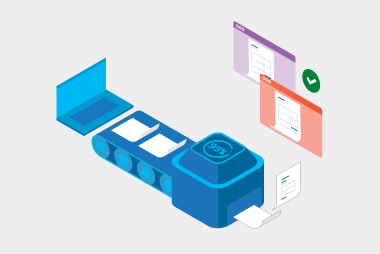
Testing is one of the most important steps in reducing EDI errors. Before suppliers start sending live messages, it is important to check that their files match the required message implementation guides, contain the right fields and follow the expected business rules. This is where message compliance testing can make a real difference. Rather than relying on manual back and forth, suppliers can test their messages before go-live and fix issues early. That means fewer failed messages once trading begins and a smoother onboarding experience for everyone involved. Testing is also important when you’re making changes to your ERP system or introducing major new functionality. Even if your EDI processes are already working well, changes to your internal systems can impact how data is created, formatted or sent. Fields may change, workflows may be updated or new business rules may be introduced. By testing before these changes go live, you can confirm that purchase orders, invoices, despatch advices and other key messages continue to flow correctly between systems and trading partners. It helps identify issues early, reduce disruption and give your team confidence that day-to-day trading will continue as expected.

Using EDI data to spot recurring issues

Preventing errors is not just about the initial setup. Once EDI is running, the data itself can help identify patterns. For example, retailers can monitor which suppliers regularly send incomplete advanced shipping notices, have high invoice rejection rates or frequently send data that does not match the original purchase order. These insights can support better supplier conversations. Instead of relying on anecdotal feedback, teams can use data to show where errors are occurring and work with suppliers to improve performance.

What to think about when improving your EDI process

If you are reviewing your EDI setup, it’s worth asking:
  • Are all required fields clearly documented for suppliers?
  • Do suppliers have a way to test messages before go-live?
  • Are errors visible and easy to investigate?
  • Can your team identify recurring issues by supplier, message type or process stage?
  • Are your EDI messages supporting downstream processes like receiving, matching and payments?
Answering these questions can help shift EDI from a basic exchange of documents to a more reliable, data-led process.

Getting ahead of errors

EDI is designed to make trading easier, but the real value comes when it is set up to prevent errors before they cause disruption. Clear requirements, strong testing and ongoing visibility all play a role in keeping data accurate and processes moving. For businesses across Australia and New Zealand, reducing EDI errors can help improve supplier relationships, speed up processing and give teams more confidence in the data moving through their supply chain.Want to learn how MessageXchange can help reduce EDI errors and improve trading partner processes? Get in touch with our experts.

Request a call

Chat with one of our experts

Just fill out your details below and we'll be in touch within one business day.

Why suppliers still send PDFs after eInvoicing is enabled

Switching eInvoicing on is not just a technical setting. Your accounting software needs the right data, workflows and connections in place so invoices can move smoothly between systems. Across Australia and New Zealand, eInvoicing uses the Peppol network to exchange invoice information securely between buyers and suppliers. The Australian Taxation Office says many accounting packages already offer eInvoicing, and businesses can often register on the Peppol network using their existing software. Here’s how to get your accounting software ready.

eInvoicing has been enabled, but not embedded

Switching on eInvoicing is only the first step. To get real value, it needs to become part of your normal invoice process. If suppliers are still told they can email invoices, many will keep doing exactly that. It’s familiar, easy and already part of their routine. To change this, make eInvoicing the preferred process, not just another option. Update supplier instructions, onboarding documents and invoice submission guidelines so the message is clear from the start.

Suppliers may not know you can receive eInvoices

Some suppliers may have no idea your business is ready for eInvoicing. Others may assume you still prefer PDFs because that’s how they’ve always invoiced you. A simple communication plan can make a big difference. Tell suppliers that you can receive eInvoices, explain what’s changing, and give them clear steps to get started. Keep the message practical. Focus on fewer errors, faster processing and less back and forth.

They may not understand what eInvoicing is

Many suppliers still think eInvoicing means emailing a PDF. That misunderstanding can slow adoption. It’s worth explaining the difference in plain English. A PDF invoice is still a document that needs to be opened, read and often manually entered into a system. An eInvoice is structured data sent directly from one system to another through a secure network like Peppol. The more clearly suppliers understand the difference, the easier it is for them to see why the change matters.

Their software may not be ready

Not every supplier has the same level of digital capability. Some may use cloud accounting software that already supports eInvoicing. Others may be using older systems, spreadsheets or manual processes. That doesn’t mean they can’t participate, they may just need more support. For smaller suppliers, options like web portals, like Colladium, can provide a simple way to send eInvoices without needing a full system integration. The key is to make the next step feel achievable.

The benefits are not clear enough

Suppliers are more likely to change when they understand what’s in it for them. If the message is only about your business wanting eInvoices, it can feel like extra work. But if suppliers see that eInvoicing can help reduce rejected invoices, cut down admin and support faster processing, the value becomes clearer. Make the benefits supplier-focused. Instead of saying “we are moving to eInvoicing”, try “eInvoicing helps us process your invoices faster and with fewer errors”.

Old habits are hard to break

Even when suppliers understand the process, some will keep sending PDFs out of habit. This is where follow-up matters. One email announcement is rarely enough. Suppliers may need reminders, support and a gentle nudge when they send PDFs after being asked to use eInvoicing. You can also involve accounts payable and procurement teams. If they keep accepting emailed PDFs without comment, the old process will continue. If they consistently redirect suppliers to eInvoicing, behaviour starts to change.

There may be no clear deadline

Without a deadline, suppliers may not prioritise the change. A phased approach can help. Start with your highest-volume suppliers, give them a clear go-live date, and explain when PDF invoices will no longer be preferred. You don’t need to be heavy-handed. But you do need to be clear. Suppliers are more likely to act when they know what is expected and by when.

There is no tracking or accountability

If you’re not tracking supplier adoption, it’s hard to know where the issue sits. You should be able to see which suppliers are sending eInvoices, which are still sending PDFs, and which ones need follow-up. This helps you focus your effort. Instead of sending broad reminders to everyone, you can target the suppliers who need support most.

How to reduce PDFs after enabling eInvoicing

To shift suppliers away from PDFs, focus on a few practical actions. Start by identifying your top suppliers by invoice volume. Let them know you’re eInvoicing-ready and give them simple instructions. Update your invoice submission guidelines so Peppol eInvoicing is clearly preferred. Offer support for suppliers who are unsure how to get started. Then keep measuring progress. Track how many invoices come through Peppol compared with email, and follow up with suppliers who continue sending PDFs. Small steps, repeated consistently, can make a big difference. Learn more about how to get more of your partners sending eInvoices by getting in touch with our experts, fill in the form below.

Request a call

Chat with one of our experts

Just fill out your details below and we'll be in touch within one business day.
Is your EDI provider helping or holding you back

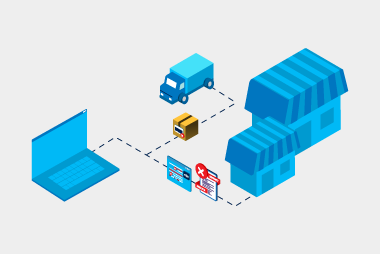
For many suppliers, electronic data interchange (EDI) starts as a customer requirement. A major retailer, wholesaler, distributor or government customer asks you to become EDI-ready, and suddenly you need a provider who can help you get connected quickly and correctly. The right provider should make trading easier. They should reduce admin, simplify onboarding, improve visibility and help your business scale. The wrong provider can do the opposite, creating delays, confusion, hidden costs and extra work for your team. Here are the warning signs to look out for.

Slow or confusing onboarding

Getting started with EDI shouldn’t feel like a never-ending project. A poor EDI provider often makes onboarding harder than it needs to be, with unclear steps, slow responses and limited guidance. You may find yourself chasing updates, resending the same information or trying to understand technical requirements that haven’t been clearly explained. For suppliers, this can be frustrating and costly. Delayed onboarding can mean delayed trading, slower customer approvals and more pressure on your internal team. A good EDI provider should give you a clear onboarding path, explain what’s needed in plain English and guide you through testing with your trading partners.

Poor support when something goes wrong

EDI issues can have a real business impact. If purchase orders don’t arrive, invoices fail or shipping notices are rejected, it can affect fulfilment, payment and customer relationships. One of the clearest signs of a bad provider is poor support. This might look like slow response times, generic answers, limited availability or overly technical explanations that don’t help you solve the problem. When something goes wrong, you need support that is practical, responsive and easy to understand. A strong provider doesn’t just tell you there’s an error. They help you understand what caused it, how to fix it and how to prevent it from happening again.

Hidden fees and unclear pricing

Some EDI providers look affordable at the start, but costs can quickly grow once you need support, testing, extra document types or new trading partner connections. For suppliers, unclear pricing makes it harder to budget and plan ahead. A good provider should be upfront about costs from the beginning. You should understand what is included, what may cost extra and how pricing changes as your business grows.

Limited customer or retailer connections

If you’re choosing an EDI provider, one of the most important questions is whether they can connect you to the customers you need to trade with. A poor-fit provider may not already support the major retailers, wholesalers, marketplaces or government agencies relevant to your business. This can lead to longer setup times, more testing and extra cost. For suppliers working across Australia and New Zealand, it helps to choose a provider with strong local experience and established trading partner connections. The right provider should understand the requirements of your customers and help you meet them with minimal fuss.

Lack of flexibility as your business grows

You might start with one customer, then add more retailers, distributors or marketplaces. You might begin with a simple web portal and later want to integrate EDI into your accounting, ERP or inventory system. A good provider should give you options. You should be able to start simple, then scale when you’re ready. That might mean moving from portal-based EDI to full integration, adding new document types or connecting with more trading partners over time. EDI should support your growth, not restrict it.

No visibility into document status

Without visibility, your team is left guessing, and that usually means more follow-up emails, more customer calls and more manual checking. A good EDI provider should give you clear visibility into document status. You should be able to see what has been sent, received, accepted, rejected or requires attention. That transparency helps your team stay in control and resolve issues faster.

Too much technical complexity

If every conversation is filled with jargon, unexplained acronyms or complicated instructions, that’s a red flag. Suppliers shouldn’t need to become EDI experts just to meet customer requirements. A good provider translates the technical side into clear business language. They explain what needs to happen, why it matters and what action you need to take.

Weak error handling

A poor provider may simply show that a document failed, without explaining why. This leaves your team to investigate the issue manually or wait for support. A better provider gives clear error messages, alerts and practical guidance. Ideally, your system should help identify common issues such as missing purchase order numbers, incorrect product codes, invalid pricing or formatting problems before they become bigger delays.

Little understanding of your business

Some providers treat EDI as a purely technical setup. But for suppliers, EDI affects sales, finance, operations, logistics and customer service. If your provider doesn’t take the time to understand how your business works, they may recommend a setup that doesn’t fit your processes. A good provider should ask questions about your customers, systems, transaction volumes, internal workflows and growth plans. That way, they can recommend an approach that supports your business, not just the technical connection.Looking for an EDI provider that makes things easier, we can help suppliers get connected, stay compliant and scale their EDI processes without unnecessary complexity. Get in touch with our experts.

Request a call

Chat with one of our experts

Just fill out your details below and we'll be in touch within one business day.
How EDI helps businesses manage rising operational costs

Businesses across Australia and New Zealand are feeling the pressure of rising operational costs. Labour, freight, warehousing, technology, and compliance expenses are all adding up, making it harder to maintain margins while still delivering a reliable service.

Electronic Data Interchange (EDI) helps businesses reduce unnecessary admin, minimise errors, and streamline the way they exchange information with customers, suppliers, logistics providers, and other trading partners.

It may not remove every cost from the business, but it can help control the hidden costs that come from manual processes.

The hidden cost of manual work

Manual processes often feel manageable at first. Sending purchase orders by email, entering invoice details into accounting software, or chasing delivery updates might seem like normal day-to-day admin. But over time, these small tasks become expensive.

Every manual step adds time, and every time data is rekeyed, there’s a chance of error. A wrong product code, incorrect price, missing purchase order number, or delayed invoice can create extra work across multiple teams. Before long, staff are spending valuable time fixing issues instead of focusing on higher-value work.

Reducing labour costs without reducing capability

One of the biggest benefits of EDI is that it helps businesses do more with the team they already have. EDI automates the exchange of key documents, such as:

  • purchase orders
  • order confirmations
  • advanced shipping notices
  • invoices
  • remittance advice

Instead of manually sending, receiving, and entering these documents, data flows directly between systems. This reduces the amount of repetitive admin your team needs to handle. It also means your business can process higher transaction volumes without needing to immediately increase headcount.

For growing businesses, this is especially valuable. You can scale operations without scaling manual workload at the same pace.

Fewer errors, lower rework costs

Errors are costly. Not just because they cause delays, but because they take time to investigate and fix. A single invoice mismatch might involve your finance team, your supplier, your warehouse, and your customer service team. That’s a lot of time spent resolving something that could have been prevented.

EDI helps reduce errors by using structured, standardised data. Information is exchanged in agreed formats, with required fields and validation rules that help catch issues early. This leads to:

  • fewer rejected invoices
  • fewer incorrect shipments
  • fewer pricing disputes
  • fewer missing or duplicated documents

Less rework means lower operational cost and less frustration across the business.

Faster processes and better cash flow

Rising costs make cash flow even more important. The faster orders are processed, goods are shipped, and invoices are approved, the better positioned a business is to manage working capital. EDI can speed up the entire order-to-cash cycle.

Purchase orders can be received automatically, invoices can be generated from accurate order data, and payments can be reconciled faster. Because the information is cleaner and easier to validate, there are fewer delays caused by missing or incorrect details.

For suppliers, this can mean faster payment. For retailers, it means fewer finance bottlenecks and better control over payables.

Lower costs across the supply chain

Operational costs don’t just sit inside your own business. They also appear across the wider supply chain. When communication between trading partners is slow or inconsistent, it can lead to delays, missed deliveries, overstocking, stockouts, and unnecessary freight costs.

EDI improves supply chain coordination by giving each party clearer, faster access to the information they need. For example, advanced shipping notices help warehouses prepare for incoming goods before they arrive. Order confirmations help buyers understand what will be fulfilled and when. Invoice automation helps finance teams match documents faster.

When everyone is working from cleaner, more timely data, the entire supply chain becomes more efficient.

Better visibility for smarter cost control

EDI gives businesses better visibility into transaction flows, supplier performance, document status, and recurring issues. This visibility makes it easier to spot where costs are creeping in. For example, you might identify:

  • suppliers with frequent invoice errors
  • products that regularly cause order discrepancies
  • delays in shipment notifications
  • repeated manual intervention points

Once these issues are visible, they can be addressed. Over time, this helps businesses move from reactive problem-solving to proactive cost management.

Supporting leaner teams

Many businesses are trying to stay lean without compromising service levels. That can be difficult when admin volumes keep increasing. Rather than reviewing every order or invoice manually, staff only need to step in when something doesn’t match or requires attention. This makes the workload more manageable and helps teams focus their time where it has the greatest impact.

It also reduces pressure during busy periods, when transaction volumes rise but staffing levels may stay the same

Making growth more sustainable

Growth often brings extra complexity. More customers, more suppliers, more orders, and more invoices can quickly increase operational costs if processes are still manual. EDI helps businesses grow in a more sustainable way. With automated workflows and standardised data exchange, businesses can take on higher volumes and new trading partners without rebuilding their processes each time. This makes expansion easier to manage and less costly to support.

For businesses across Australia and New Zealand looking to stay competitive, that scalability matters.Want to learn how EDI can help your team reduce order processing costs? Get in touch with our experts.

Request a call

Chat with one of our experts

Just fill out your details below and we'll be in touch within one business day.
How to prepare your accounting software for eInvoicing

Switching eInvoicing on is not just a technical setting. Your accounting software needs the right data, workflows and connections in place so invoices can move smoothly between systems. Across Australia and New Zealand, eInvoicing uses the Peppol network to exchange invoice information securely between buyers and suppliers. The Australian Taxation Office says many accounting packages already offer eInvoicing, and businesses can often register on the Peppol network using their existing software. Here’s how to get your accounting software ready.

Start by checking your software capability

Before changing any processes, check whether your accounting system is eInvoicing-ready. Some software products can send eInvoices, some can receive them, and some can do both. In Australia, the eInvoicing Ready product register helps businesses identify certified products that can send or receive valid invoices through an accredited Australian Peppol service provider and register a business on the Peppol network. In New Zealand, the eInvoicing software product list is a useful starting point, but the government recommends confirming capability directly with your provider. Before you go live, make sure your accounting software has the right details for your organisation. This includes:
  • your legal business name
  • Australian business number (ABN) or New Zealand business number (NZBN)
  • GST details
  • trading names and
  • contact information.
Small errors can cause bigger issues later. If your business details don’t match what your customers or suppliers expect, invoices may fail validation or be harder to reconcile.

Review your invoice fields

eInvoices are structured, which means the data needs to be in the right place. Your accounting software should be set up to capture the fields your customers and suppliers need. Pay close attention to purchase order numbers, invoice references, GST and tax codes, payment terms, bank account details, delivery details and line-item descriptions. The cleaner your invoice data is at the start, the fewer issues your finance team will need to fix later.

Decide how you will connect to the Peppol network

Some businesses connect to the Peppol network through their accounting software. Others use a Peppol Access Point or service provider, especially if their software doesn’t natively support it, they have more complex systems or need extra integration support. An Access Point manages the secure exchange of data between your software and the Peppol network. Access point providers have met Peppol requirements around network governance and security, either through New Zealand Peppol Authority accreditation or mutual accreditation with the ATO. The right option depends on your software, invoice volume, integration needs and internal capability.

Test before going live

Don’t wait until your first live customer or supplier invoice to find out something is not working. Run test transactions first. Check that invoices can be sent, received, validated and processed correctly. Make sure invoice data lands in the right fields and that your team understands what to do if an eInvoice is rejected. Testing helps you catch simple issues early, before they affect payment timelines or supplier relationships.

Update internal processes

eInvoicing may change how your team handles invoices day to day. For example, invoices may no longer arrive in a shared inbox. Approval workflows may start earlier. Data entry may reduce, but exception handling and monitoring may become more important. Document the new process clearly. Your finance team should know where eInvoices arrive, how to check their status, what errors look like and who to contact for support.

Train your finance team

Even if the technology is simple, people still need to understand the change. Give your team a practical overview of what eInvoicing is, how it works in your accounting software, what is changing from the old process and how to handle common issues. Keep it simple. The goal isn’t to turn everyone into a Peppol expert. It’s to make sure they feel confident using the system.

Monitor performance after go-live

Once eInvoicing is switched on, keep an eye on how it is performing. Track how many invoices are being sent or received via Peppol, how many fail validation, how long invoices take to process and how much manual work is still required. This helps you spot issues early and show the value of the project over time. Using Oracle or TechnologyOne? Check out our upcoming webinars. Oracle: Click here TechnologyOne: Click here Want to see how to get eInvoicing going with your software? Get in touch with our experts below.

Request a call

Chat with one of our experts

Just fill out your details below and we'll be in touch within one business day.

How EDI supports lean retail teams without sacrificing performance

For many suppliers across Australia and New Zealand, running a lean team isn’t a choice, it’s the reality. Whether you’re a growing business or an established supplier managing tight margins, your team is likely juggling orders, invoicing, logistics and customer communication all at once. That’s where electronic data interchange (EDI) can make a real difference. If you’re a supplier with a small team, you’re probably familiar with the daily juggle. Orders come in, invoices need to be created manually, and someone has to double-check everything before it goes out. Over time, this creates pressure:
  • Admin tasks start to take over the day.
  • Small errors turn into bigger issues.
  • Responding to customers becomes reactive rather than proactive.
It’s not that the process doesn’t work, it just doesn’t scale well.

Taking manual work off your plate

One of the biggest advantages of EDI is how much routine admin it removes. Instead of manually handling every step, your system can automatically:
  • receive and process orders
  • generate invoices from order data
  • send shipment updates.
This means fewer repetitive tasks for your team and more time to focus on running the business. For small teams, this shift can be significant. It frees up capacity without increasing workload.

Reducing errors (and the time spent fixing them)

When everything is done manually, mistakes are almost inevitable. A missing reference, a wrong quantity, or a pricing mismatch can quickly lead to delays and back-and-forth communication. What often takes the most time isn’t the mistake itself, it’s fixing it. With EDI, information flows in a structured, consistent way. That reduces the chance of errors happening in the first place, and it also means fewer interruptions throughout the day. Less time fixing problems means more time moving things forward.

Making your processes more predictable

For small teams, unpredictability is one of the biggest challenges. When documents come in unexpected formats or information is incomplete, it slows everything down. EDI brings consistency to your processes. Orders arrive in the same format, invoices follow the same structure, and information is easier to track. That consistency makes planning easier. Your team knows what to expect, and work flows more smoothly from one step to the next.

Handling growth without adding headcount

Growth is great, but it often comes with more admin, not just more revenue. Without automation, increasing order volumes usually mean:
  • more manual processing
  • longer hours
  • or hiring additional staff.
EDI helps break that pattern. Because transactions are automated, your team can handle higher volumes without being overwhelmed. This is especially valuable during busy periods, when demand spikes but resources stay the same.

Improving cash flow through faster invoicing

Cash flow is critical for small businesses, and delays in invoicing can have a real impact. With EDI, invoices can be generated and sent as soon as goods are shipped, without needing manual input. Because the data is accurate and aligned with the original order, there’s less chance of rejection or delay. This leads to quicker approvals and more predictable payments, something every small supplier benefits from.

Giving your team more breathing room

When your team isn’t tied up with repetitive admin or constant issue resolution, they can focus on:
  • building customer relationships
  • improving operations
  • planning for growth.
It changes the day-to-day experience from being constantly busy to being more in control.Want to learn how EDI can help you team automate processes? Get in touch with our experts.

Request a call

Chat with one of our experts

Just fill out your details below and we'll be in touch within one business day.
What “good” eInvoicing adoption looks like in 2026

eInvoicing adoption across Australia and New Zealand is no longer new. Many businesses have already connected to the Peppol network and switched on the capability in their systems. But enabling eInvoicing is only the first step. The real question in 2026 is this: is it actually working the way it should? Good adoption is not just about being connected. It is about how consistently and effectively eInvoicing is used across your business and your supplier network.

Here are the key things to look out for.

Moving away from PDF invoicing

One of the biggest signs that adoption has not fully landed is the continued use of emailed PDF invoices. If suppliers are still sending invoices via email, it usually means eInvoicing has not become the default process. Teams may still be falling back to old habits, or suppliers may not have been properly onboarded.

In a well-adopted environment, invoices flow directly from system to system. Email is no longer part of the process, and finance teams are not checking inboxes to manage incoming invoices.

Active supplier adoption and onboarding

Supplier adoption is where many eInvoicing projects succeed or stall. Good adoption means you are not just waiting for suppliers to switch. You are actively tracking who is using eInvoicing and who is not, and you have a clear plan to onboard the rest.

This often involves prioritising key suppliers, maintaining regular communication, and making it easy for them to get started. Over time, the proportion of invoices received via eInvoicing should steadily increase.

Improved invoice quality and accuracy

One of the benefits of eInvoicing is cleaner, more consistent data. When adoption is working well, you should see a noticeable drop in invoice errors. That includes fewer missing fields, fewer incorrect values, and fewer invoices needing manual correction.

If errors are still common, it may indicate issues with supplier setup, data standards, or validation processes. Monitoring error rates helps identify where improvements are needed.

Faster and more predictable processing times

Speed is one of the clearest indicators of success. With strong adoption, invoices should move through your system more quickly and with fewer delays. Approval cycles become more predictable, and payment timelines are easier to manage.
If processing times have not improved, it may be worth reviewing where delays are still occurring. The issue may no longer be invoice receipt, but what happens after.

Reduced need for chasing and follow-ups

In a manual environment, finance teams spend a lot of time chasing missing invoices, following up on approvals, or clarifying details with suppliers. With eInvoicing in place, that effort should reduce significantly. It is important to track this periodically to make sure this is improving.

If teams are still spending time chasing, it is a sign that adoption is not yet complete or that processes around eInvoicing need refining. Tracking how much time is spent on follow-ups can highlight the true impact of your rollout.

Looking beyond invoice processing

It is easy to focus on automating invoice receipt and processing. But good adoption in 2026 goes further. eInvoicing should support improvements across the entire process, including matching invoices to purchase orders, streamlining approvals, and improving payment workflows.

If these areas are still manual or inconsistent, there is an opportunity to build on your eInvoicing foundation and move towards broader finance automation.eInvoicing is looking to ramp up in New Zealand with the new mandate for government agencies and their suppliers. Register for our webinar “The 2027 eInvoicing mandate playbook: How to get ready and avoid common mistakes” to learn more about the einvoicing changes in New Zealand and where to start here.

Request a call

Chat with one of our experts

Just fill out your details below and we'll be in touch within one business day.
How EDI helps retailers automate invoice matching and reduce disputes

For retailers across Australia and New Zealand, processing supplier invoices can be one of the most time-consuming parts of the supply chain. When invoices arrive by email or PDF and need to be manually checked against purchase orders and delivery records, mistakes and delays are almost inevitable. Invoice discrepancies such as incorrect pricing, quantities, or missing order numbers can quickly lead to disputes between retailers and suppliers. This is where electronic data interchange (EDI) can make a significant difference. By automating how invoices are created, transmitted and validated, EDI helps retailers streamline invoice matching and reduce disputes.

The challenge of manual invoice matching

Finance or accounts payable teams match supplier invoices against purchase orders and delivery receipts to ensure everything lines up. This process, often called three-way matching, checks that:
  • the purchase order (PO) reflects what was ordered
  • the goods receipt or delivery record confirms what was delivered
  • the invoice matches both the order and the delivery.
When this process relies on manual checks, common problems arise:
  • Incorrect or missing PO numbers
  • Pricing differences between order and invoice
  • Quantity mismatches
  • Delayed or duplicated invoices
  • Time spent investigating discrepancies.
As a retailer, when your supplier network grows these issues can multiply quickly.

How EDI changes the process

EDI replaces manual documents with structured digital messages that flow directly between systems. When retailers and suppliers exchange purchase orders, shipping notices and invoices through EDI, the information is standardised and automatically captured. This creates the foundation for automated invoice matching. Instead of manually reviewing documents, the retailer’s system can automatically compare the invoice against the original order and delivery data. Retailers can automate three-way matching to verify:
  • item numbers
  • quantities
  • prices
  • order references.
Inconsistent or incomplete information can also create invoice disputes. EDI helps eliminate these problems by ensuring that key data fields are standardised and validated before the invoice is processed. For example, EDI can ensure that:
  • the correct PO number is included
  • product codes match the retailer’s system
  • pricing aligns with the original order
  • GST is calculated correctly.
By catching errors early, or preventing them altogether, EDI significantly reduces the number of invoices that require manual investigation.

Faster payments and stronger supplier relationships

When invoices are matched automatically and approved faster, suppliers benefit as well. Payments can be processed more quickly and with fewer queries from the retailer’s finance team. Leading to improved supplier satisfaction and less back-and-forth communication. For retailers working with hundreds of suppliers, these improvements can have a major operational impact.

Freeing finance teams to focus on higher-value work

Automating invoice matching doesn’t just reduce disputes, it also frees up valuable time for finance teams. Instead of manually checking invoices, staff can focus on:
  • investigating genuine exceptions
  • improving financial reporting
  • managing supplier relationships
  • supporting strategic business initiatives.
Want to learn more about EDI can help you better manage and automate invoicing? Get in touch with our experts.

Request a call

Chat with one of our experts

Just fill out your details below and we'll be in touch within one business day.
Preparing for New Zealand’s upcoming eInvoicing mandate for large government suppliers

eInvoicing adoption across Australia and New Zealand has been steadily growing over the past few years. But in New Zealand, things are about to accelerate. An upcoming government mandate will require large suppliers to send eInvoices when doing business with government agencies. For businesses working with the public sector, this is an important milestone, and a signal that digital invoicing is becoming standard practice. Here’s what the upcoming mandate means and how suppliers can prepare.

What the new mandate involves

From 1 January 2027, New Zealand government agencies must require large suppliers to send invoices electronically using the Peppol eInvoicing network. The rule applies to suppliers that:
  • have annual revenue over NZ$33 million, and
  • provide goods or services to government agencies.The goal is to modernise procurement and payments across the public sector while encouraging wider adoption of eInvoicing throughout the New Zealand economy.

Why the government is introducing the mandate

The move to eInvoicing helps address several long-standing challenges in invoice processing. Government agencies expect the change to:
  • reduce manual invoice handling
  • minimise data entry errors
  • speed up processing and approvals
  • improve payment reliability
  • support better financial transparency.
By using the Peppol network, invoices are exchanged securely and directly between finance systems, removing the need for emailed PDFs and manual entry.

How suppliers can prepare

The good news is that getting started with eInvoicing is usually straightforward. Most modern accounting and ERP platforms already support Peppol eInvoicing. To prepare, suppliers should:
  1. Check whether their accounting software supports Peppol eInvoicing.
  2. Register on the Peppol network through their software provider or a certified access point.
  3. Test sending eInvoices with customers before the mandate comes into effect.
  4. Train finance teams on the new process and workflows. Taking these steps early helps avoid last-minute pressure as the deadline approaches.
For many organisations, the move to eInvoicing also opens the door to broader finance automation.Register for our webinar “The 2027 eInvoicing mandate playbook: How to get ready and avoid common mistakes” to learn more about the einvoicing changes in New Zealand and where to start here.

Request a call

Chat with one of our experts

Just fill out your details below and we'll be in touch within one business day.